

Accounting Software Tips for Small UK Businesses
Accounting software can make a small business cleaner, faster and easier to manage. It can also create a false sense of control. A dashboard showing a bank balance, a profit figure and a VAT estimate is useful only if the setup behind it is right, the records are complete and the person reviewing the data understands what the software is assuming.
For UK small businesses, the choice of software is no longer just an administrative preference. Making Tax Digital, VAT record keeping, payroll reporting, CIS deductions, director loan accounts, year-end accounts and Corporation Tax all depend on the quality of the underlying bookkeeping. Software sits at the centre of that system, but it does not replace judgement.
The practical question is not simply “Which accounting software is best?” A better question is: “Which system will give this business reliable records, usable management information and fewer compliance surprises?”
Why accounting software matters more than the subscription price
Small businesses often compare accounting software by monthly cost, bank feed availability or whether invoices can be sent from a phone. Those features matter, but they rarely determine whether the system works well over time.
The real value comes from how consistently the software supports the financial routine of the business: sales invoices, supplier bills, bank reconciliation, VAT treatment, payroll journals, CIS records, expense claims, stock movements and year-end adjustments. If these areas are not structured properly, the business may still have a modern cloud system but unreliable accounts.
A cheap subscription can become expensive if it leads to duplicated income, unreconciled bank transactions, missed VAT codes or months of corrections to the bookkeeping process before accounts can be prepared. Equally, a more advanced system can be unnecessary if the business has simple transactions and no need for complex reporting.
The right software should reduce friction without hiding the financial reality of the business.
Leave your details and our team will get back to you shortly.
Start with the business model, not the software brand
Most software comparisons begin with product names. In practice, the better starting point is the business model.
A VAT-registered consultancy with recurring invoices has different requirements from a construction subcontractor working under CIS. A retail business taking card payments through multiple platforms needs different controls from a limited company director with a small number of high-value contracts. A growing employer needs payroll integration and reporting discipline that a sole trader may not need yet.
Before choosing or changing software, map the business activity properly:
- How is income earned: invoices, card sales, online platforms, retainers, cash, grants or mixed sources?
- How many bank accounts, credit cards and payment processors are involved?
- Is the business VAT registered, and does it use standard VAT accounting, cash accounting or the flat rate scheme?
- Does the business operate payroll, pensions or benefits?
- Does CIS apply to contractors or subcontractors?
- Are there stock, project, department or location reporting needs?
- Will the figures be used only for compliance, or also for monthly decision-making?
This exercise often reveals that the issue is not the software itself. The issue is that the software has been set up as a digital receipt box rather than as an accounting system.
Making Tax Digital is not just a filing button
Making Tax Digital has pushed many UK businesses into cloud bookkeeping, especially VAT-registered businesses. The common misunderstanding is that MTD compliance is achieved simply by using software that can submit a VAT return to HMRC.
The filing function is only one part of the requirement. Digital records must support the figures being submitted. VAT codes need to be used correctly. Adjustments should be understood and documented. Digital links may matter where records are transferred between systems. The software should help create a proper audit trail, not just a final number.
For a small business, this becomes particularly important where transactions are not straightforward. Examples include deposits, reverse charge VAT, imports, mixed taxable and exempt income, business entertainment, vehicle costs, partial personal use and credit notes. Software may offer a VAT code, but it will not always tell the user whether that code is appropriate.
MTD-friendly software is helpful. Understanding the underlying Making Tax Digital requirements is what makes the records more reliable.
Bank feeds are useful, but they are not bookkeeping
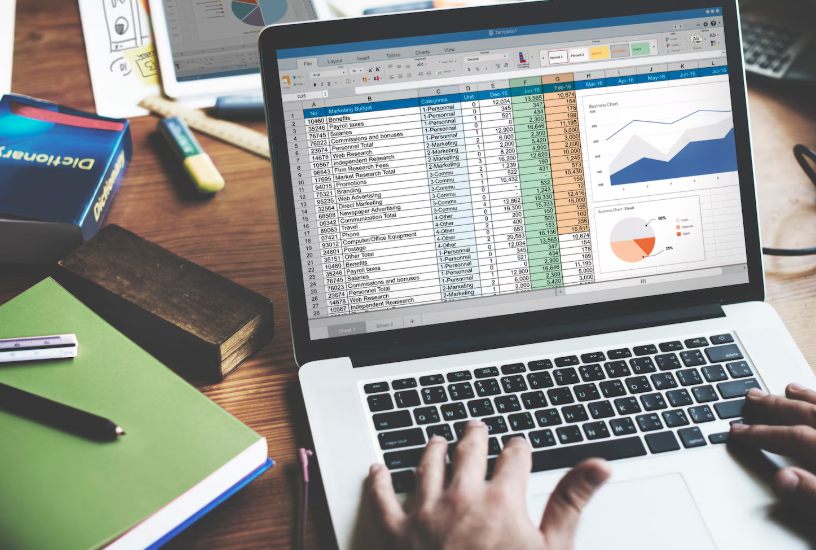 Bank feeds are one of the main reasons small businesses adopt cloud accounting. They save time and reduce manual entry. They also introduce a subtle risk: the business owner may assume that if the bank feed is connected, the bookkeeping is complete.
A bank transaction does not explain itself. A payment of £240 could be software, insurance, equipment, subcontractor labour, professional fees or something partly private. A receipt from a payment provider may represent gross sales less fees, or it may be a payout containing transactions from several days. A transfer between accounts can be posted twice if it is not matched properly.
Good bank reconciliation is not simply clicking “confirm” against suggested categories. It means checking that every transaction has been treated correctly, every bank account matches the real closing balance, and unexplained items have been investigated rather than parked in suspense.
The most reliable businesses tend to have a rhythm: reconcile weekly, review unusual transactions monthly, and avoid letting queries build up until the VAT return or year end.
VAT settings deserve more attention than they usually receive
VAT errors in accounting software often begin with a rushed setup. The business selects VAT registered, chooses a return frequency and starts coding transactions. Months later, problems appear: sales outside the scope have been treated as zero-rated, exempt income has been mixed with standard-rated sales, or input VAT has been claimed on costs where recovery is restricted.
Small UK businesses should pay particular attention to:
- VAT scheme settings: standard, cash accounting and flat rate schemes produce different results.
- Invoice dates and tax points: these affect which VAT period a transaction belongs to.
- Payment processor fees: gross sales and fees should be recorded in a way that preserves VAT accuracy.
- Reverse charge rules: especially relevant in parts of the construction sector and some overseas services.
- Partial personal use: expenses may need adjustment rather than full VAT recovery.
VAT is one of the areas where software can make a mistake look official. A VAT return generated by the system may appear tidy, but if the coding is wrong, the return is wrong. The software is processing the bookkeeping logic it has been given, which is why VAT records and returns should be reviewed before submission rather than accepted automatically.
Payroll should not sit outside the accounting process
Payroll is sometimes treated as a separate compliance task: employees are paid, Real Time Information is submitted to HMRC, pension contributions are handled, and the bookkeeping is updated later. That separation can cause problems.
For limited companies and growing employers, payroll journals affect wages, employer National Insurance, pension costs, PAYE liabilities, director salaries and sometimes benefits or reimbursements. If payroll is not posted correctly into the accounts, management figures may overstate profit or understate liabilities.
Accounting software that integrates with payroll can reduce manual work, but integration does not remove the need for review. Directors’ pay, irregular bonuses, starters and leavers, student loans, statutory pay and pension deductions all need careful handling. The accounts should reflect what has actually been reported and paid, not an approximate monthly wage total.
This becomes more important where management accounts are used to make decisions. A profit figure that excludes payroll liabilities is not a reliable basis for hiring, dividends or tax planning.
CIS businesses need a more disciplined setup
Construction Industry Scheme records are a common weak point in small business bookkeeping. The transactions may look ordinary in the bank feed, but the tax treatment is not ordinary.
Contractors need records of subcontractor verification, gross payments, materials, CIS deductions and monthly returns. Subcontractors need records of CIS tax deducted so that deductions can be offset correctly through Self Assessment or Corporation Tax, depending on the business structure.
Accounting software can help, but only if CIS is configured and used consistently. A subcontractor receiving £800 after a £200 deduction should not simply record £800 as sales. The gross income and CIS tax deducted need to be visible. Otherwise, turnover, tax deductions and year-end tax calculations may all be distorted.
For construction businesses, the best accounting software setup is usually the one that forces clarity early rather than leaving CIS records to be reconstructed at year end.
Sole traders and limited companies need different habits
 The same software may be used by a sole trader and a limited company, but the accounting implications differ.
A sole trader’s bookkeeping usually feeds into Self Assessment. Personal drawings are not wages. Business and private spending need to be separated clearly. If personal accounts are used for business transactions, the records become harder to review and more vulnerable to missing items.
A limited company has separate legal and accounting identity. Money taken by a director may be salary, dividends, expense reimbursement, loan repayment or a director’s loan. These categories are not interchangeable. The software needs to distinguish them because they affect accounts, tax, available profits and sometimes Companies House reporting.
This is where small companies often get into difficulty. The bank account shows money moving; the software records it somewhere; the director assumes it is dealt with. But the classification may have tax consequences, especially around dividends, director loan accounts and the company’s Corporation Tax position.
The chart of accounts should reflect how the business is actually run
The chart of accounts is easy to ignore because most software provides a default version. For a very simple business, that may be enough. For others, the default categories can create messy reporting.
A café, a consultancy, a landlord, an online retailer and a construction company do not need the same level of detail. Splitting every small expense into narrow categories can waste time. Grouping everything into “general expenses” can make the accounts almost useless. The aim is not complexity; it is meaningful classification.
Good category design helps answer practical questions. Are subcontractor costs rising? Are software subscriptions creeping up? Is gross margin changing? Are travel costs linked to revenue? Are repairs and capital purchases being separated correctly? Are professional fees, insurance and finance costs visible enough for review?
The chart of accounts should also support year-end accounts. If important items are buried in vague categories, the accountant has to spend time unpicking them later. That can delay filing, increase queries and weaken the usefulness of the accounts as a business document.
Management information is only useful if the bookkeeping is current
Small businesses often say they want better management accounts, but the obstacle is usually not the report format. It is the timing and reliability of the bookkeeping.
A monthly profit and loss report produced six weeks late is of limited use. A cash flow report based on unreconciled bank accounts can be misleading. A margin report that excludes supplier bills received after month end may encourage the wrong decision.
Software can produce attractive reports quickly. The harder work is agreeing a close process: bank reconciliations completed, sales checked, supplier bills entered, payroll posted, VAT reviewed, accruals or prepayments considered where needed, and unusual balances investigated.
Not every small business needs formal monthly management accounts. But every business benefits from knowing which figures are reliable and which are only rough indicators.
Common accounting software mistakes that cause real problems
The mistakes that create the biggest problems are rarely dramatic. They are usually small errors repeated over several months.
- Using personal bank accounts for business: this increases the risk of missing income or claiming private costs incorrectly.
- Accepting software suggestions without review: automatic categorisation can repeat the same mistake indefinitely.
- Leaving old unpaid invoices or bills unresolved: aged debtor and creditor reports become unreliable.
- Posting transfers as income or expenses: this can overstate turnover or costs.
- Ignoring suspense accounts: unresolved balances often hide classification problems.
- Not locking periods after VAT returns: later edits can change figures already submitted to HMRC.
- Creating duplicate supplier records: this makes payment history, aged creditors and VAT evidence harder to follow.
- Mixing capital purchases with repairs: this can affect accounts and tax treatment.
- Recording net payment processor receipts as sales: this may understate turnover and distort VAT.
None of these issues means the business has failed. They are ordinary bookkeeping problems. The risk comes from allowing them to accumulate until a VAT deadline, loan application, accounts filing deadline or tax calculation exposes the weakness.
Automation can scale errors as well as efficiency. Bank rules, recurring transactions and receipt capture save time, but they also repeat wrong VAT codes, weak expense categories or incorrect director loan postings if nobody reviews them. The answer is not to avoid automation. The answer is to test rules, review exceptions and keep evidence that explains the treatment behind the transaction.
Choosing software: the questions that matter
There is no universal best accounting software for small UK businesses. The better choice depends on the business’s transaction pattern, compliance obligations and reporting needs.
Before committing to a platform, ask practical questions rather than relying only on feature lists:
- Can it handle the VAT scheme and transaction types the business actually uses?
- Does it integrate cleanly with the bank, payment processors, payroll and sales systems?
- Can the accountant access the records without exporting messy spreadsheets?
- Are CIS, project tracking, stock or multi-currency features needed now or likely soon?
- Is the reporting clear enough for directors or owners to use without constant explanation?
- Can users be restricted so staff only access what they need?
- How easy is it to correct errors without damaging prior VAT periods?
- What happens if the business outgrows the system?
The right answer may be a mainstream cloud accounting package. It may be a lighter bookkeeping tool. It may be a more structured system with add-ons. What matters is not the brand reputation but the fit between the software and the business process.
Migration needs more care than most businesses expect
Moving from spreadsheets or one software platform to another can look simple from the outside. Export contacts, import balances, connect bank feeds and continue. In reality, migration is one of the easiest points at which accounting records become confused.
The opening balances must agree to the previous accounts or records. Unpaid sales invoices and supplier bills need to be brought across correctly. VAT periods should not be duplicated. Bank feeds should start from the right date. Payroll and CIS records may need separate attention. If the business is a limited company, director loan balances, retained profits and Corporation Tax liabilities should not be guessed.
A clean migration usually involves choosing a sensible cut-off date, reconciling the old system first, preserving reports from the previous system and checking the first VAT return or management report after migration carefully. Rushing the move can create a system that looks new but carries old errors in a less visible form.
Automation should assist judgement, not replace it
Rules, receipt capture, invoice scanning and automatic bank matching can save a significant amount of time. They are particularly useful where transactions are repetitive and low risk. The danger is using automation too widely before the underlying logic is tested.
A rule that posts every payment to a supplier as materials may be wrong if that supplier also provides equipment. A receipt scan may misread VAT. A recurring invoice may continue after a contract changes. A bank match may link the wrong payment to the wrong invoice where amounts are similar.
Automation works best with review points. For example, routine software subscriptions may be automated, but larger purchases, overseas transactions, VAT-sensitive costs and director payments should still be checked. The aim is to reduce manual processing without removing professional scepticism from the bookkeeping routine.
Directors should understand enough to challenge the figures
For limited companies, directors remain responsible for the company’s records and filings even where bookkeeping is delegated. That does not mean every director needs to become a bookkeeper. It does mean they should understand enough to recognise when the numbers may not be reliable.
Useful review habits include checking whether bank balances agree, whether aged debtors include old invoices that should have been paid or written off, whether VAT liabilities look reasonable, whether payroll liabilities clear after payment, and whether director loan balances make sense.
Companies House accounts and Corporation Tax returns are not separate from everyday bookkeeping. They are the end result of it. If the year’s records are weak, the annual accounts process becomes slower, more expensive and less informative.
A practical workflow for keeping software reliable
The strongest accounting software setups usually have a simple routine behind them. The exact frequency depends on transaction volume, but the principles are consistent.
Weekly
Reconcile bank feeds, upload receipts, raise sales invoices promptly and deal with obvious queries while the details are still fresh. For businesses with high transaction volumes, weekly may not be frequent enough.
Monthly
Review aged debtors and creditors, check payroll postings, clear suspense items, review director transactions, compare income and costs against expectations, and investigate unusual balances. If management information is needed, this is the point where bookkeeping becomes business intelligence rather than administration.
Quarterly
Review VAT returns carefully before submission, especially where there are unusual transactions, credit notes, imports, reverse charge entries or changes in business activity. Locking the period after filing can help prevent accidental changes to submitted figures.
Year end
Reconcile key balances, review fixed assets, stock, loans, accruals, prepayments, tax liabilities and director loan accounts. The cleaner the software records, the more useful the annual accounts process becomes.
The best software setup is the one the business will actually maintain
A technically perfect system that nobody updates is not a good system. Small businesses have limited time, and bookkeeping often competes with sales, staffing, operations and customer work. The software setup has to be realistic.
For some businesses, that means simple categories, weekly reconciliation and accountant review. For others, it means deeper reporting by project, department or location. The mistake is copying another business’s system without considering capacity, complexity and risk.
There is also a behavioural element. If the owner dislikes the software, avoids the mobile app or finds the reports confusing, the records will suffer. Training, sensible permissions and a clear division of responsibilities can be as important as the software itself.
Warning signs that software records may need review include unreconciled bank balances, VAT figures that do not match expectations, old debtor or creditor balances, unexplained suspense accounts, duplicate contacts, director loan confusion, payroll liabilities that never clear and reports that do not help decisions. These signs do not always mean the software is wrong. They often mean the process around it needs tightening.
What small UK businesses should take away
Accounting software is not just a digital filing cabinet. Used well, it gives a business cleaner records, better visibility and fewer deadline pressures. Used casually, it can preserve errors, automate poor habits and make weak bookkeeping appear more reliable than it is.
The most important tips are straightforward but often overlooked: choose software around the business model, set up VAT and CIS correctly where relevant, reconcile bank accounts properly, treat payroll as part of the accounts, review reports before relying on them, and avoid letting unresolved queries drift into the year-end process.
Good software does not remove the need for accounting judgement. It gives that judgement better information to work with. For a small UK business, that distinction matters. Compliance becomes easier, management decisions become better informed, and the accounts begin to reflect the business rather than merely record its transactions.