
P45 HMRC Form Explained – A Practical Guide for Employees and Employers
Leave your details and our team will get back to you shortly.
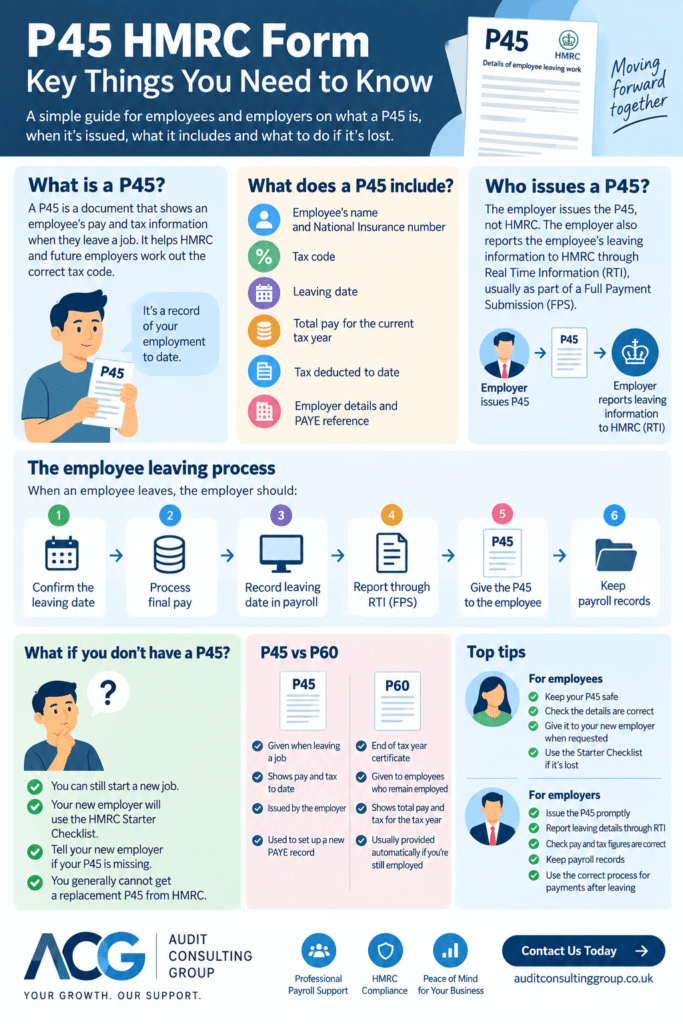
The P45 HMRC form is an important document in the UK PAYE system. When an employee leaves a job, their employer must give them a P45 showing key employment, pay and tax information.
Although it is commonly called an HMRC P45, the document is normally produced by the employer through their payroll process rather than issued directly by HMRC. The employer also reports the employee’s leaving information to HMRC through Real Time Information (RTI), usually as part of a Full Payment Submission (FPS).
For employees, the P45 provides a record of the employment that has ended and can help a new employer establish the correct payroll information. For employers, issuing the P45 is one part of a wider leaver process that includes final pay, the leaving date and PAYE reporting.
What Is a P45 HMRC Form?
A P45 HMRC form records important PAYE information when an employee leaves employment. Depending on the circumstances, it includes details such as:
- the employee’s name;
- National Insurance number;
- tax code;
- leaving date;
- pay for the relevant tax year;
- tax deducted;
- employer and PAYE information.
The P45 helps connect the employment that has ended with the employee’s subsequent PAYE position, including where they move to another employer.
Need help with PAYE filing? Our Payroll Services can support employers with payroll administration for starters, leavers and other PAYE reporting requirements.
Who Issues a P45 – the Employer or HMRC?
The employer is responsible for giving the employee a P45 when the employment ends.
This is worth clarifying because searches for HMRC P45 or P45 UK HMRC can create the impression that HMRC sends the document directly to the employee. In normal circumstances, the P45 is generated through the employer’s payroll process.
HMRC receives the relevant pay, tax and leaving information through RTI payroll reporting. Producing the employee’s P45 and reporting the leaver to HMRC are connected parts of the process, but they are not the same action.
When Should a P45 Be Issued?
An employer must provide a P45 when an employee leaves their employment.
Before completing the leaver process, payroll should reflect the employee’s correct leaving date and final pay information. The employer reports the relevant leaving details through payroll and provides the P45 to the employee.
Delaying the leaver process or using an incorrect leaving date can create discrepancies between the employee’s documents, payroll records and information already reported to HMRC.
Why Is the P45 Important?
- For employees – it provides a record of relevant PAYE information from the employment that has ended.
- For new employers – it provides information that can be used when establishing the employee’s new payroll record.
- For employers – it forms part of properly closing an employee’s payroll record when they leave.
An employee can start another job without a P45. Where the document is unavailable, however, the new employer will need appropriate starter information to determine the employee’s initial PAYE treatment.
Parts of a P45 Form
A paper P45 includes several parts. The employee normally receives Parts 1A, 2 and 3.
- Part 1A – kept by the employee for their records.
- Parts 2 and 3 – can be provided to a new employer when starting another job.
Under modern RTI payroll reporting, the employer reports the relevant leaving information to HMRC electronically through payroll, normally using the FPS. Employers should therefore not treat the paper sections of the P45 as a substitute for their RTI reporting responsibilities.
What Should an Employee Do With a P45?
When you receive your P45, check that the personal, pay, tax and leaving information appears reasonable and keep the document with your tax records.
If you start another job, provide the relevant P45 information to your new employer when requested. If you do not have the document, tell the new employer rather than delaying the payroll setup.
If your former employer has not provided a P45, you should normally contact them first. If the P45 was issued but has subsequently been lost, a replacement is generally not available and the new employer can instead collect the required starter information.
What Should an Employer Do When an Employee Leaves?
A P45 is only one part of the payroll leaver process. Employers also need to deal correctly with the employee’s final payroll record and RTI reporting.
A typical process includes:
- confirming the employee’s actual leaving date;
- processing final pay where appropriate;
- recording the leaving date in payroll;
- reporting the relevant information to HMRC through the FPS;
- providing the employee with their P45;
- retaining appropriate payroll records.
Where payroll is outsourced, the employer should provide the payroll processor with the leaving date and final payment information in time for the payroll to be processed correctly.
Does an Employer Send a P45 to HMRC?
Under modern RTI reporting, employers report employee pay, tax and leaving information to HMRC through payroll submissions, particularly the Full Payment Submission.
The employee receives their P45 separately. Employers should therefore think of the P45 and the FPS as connected parts of the same leaver process rather than treating the P45 itself as the method of reporting the employee’s departure to HMRC.
P45, RTI and the Full Payment Submission
Real Time Information changed how employers report PAYE information to HMRC. Employers normally report employee payments and deductions through an FPS whenever they pay employees.
When an employee leaves, their leaving date and relevant final payroll information need to be reflected correctly in the payroll record and submitted through RTI.
If an employer later discovers that the leaving information was wrong, the correction should be based on what has already been reported rather than simply changing the P45 in isolation.
What If You Do Not Have a P45?
You can still start a new job without a P45.
If the document is unavailable, the new employer will normally collect starter information so they can establish the payroll record and determine the appropriate initial PAYE treatment.
This is commonly done using the HMRC Starter Checklist. The employee provides information about their circumstances and previous employment, which the employer then uses when setting them up for PAYE.
Lost P45 – Can You Get a Replacement?
If you have lost your P45, you generally cannot obtain a replacement P45 simply because the original document is missing.
If you are starting another job, tell your new employer. They can obtain the required information through the appropriate starter process instead.
You may also be able to view previous employment, pay and tax information through your Personal Tax Account or the HMRC app. These records can help you check your tax position, but they are not a replacement P45.
Can I Get a Copy of My P45 From HMRC?
HMRC does not normally issue a replacement P45 when the original has been lost.
You may be able to access relevant employment, pay and tax information through HMRC’s online services. If the purpose is to start a new job, however, the new employer can collect the required starter information without waiting for another P45.
Can You View a P45 on the HMRC App or Online?
The HMRC app and Personal Tax Account can provide access to employment, income and tax information held by HMRC, including information from previous tax years.
Being able to view or download pay and tax details is not the same as HMRC issuing another copy of the original P45. Where the document has been lost, the Starter Checklist may be used for a new employment instead.
P45 vs HMRC Starter Checklist
A P45 and Starter Checklist may both provide information used when a new employee is set up for PAYE, but they serve different purposes.
A P45 comes from employment that has ended and records relevant information from that employment.
A Starter Checklist collects information from a new employee where the employer needs starter details, particularly when a usable P45 is unavailable.
Starting a New Job Without a P45
An employee should not delay starting work simply because their previous P45 is unavailable.
The new employer needs enough information to establish the payroll record. Where there is no usable P45, the employee may be asked to complete a Starter Checklist and select the declaration that accurately reflects their circumstances.
Providing accurate starter information matters because it affects how PAYE is initially operated.
What If Your P45 Is Incorrect?
Employees should check their P45 rather than assume every detail is correct.
Possible issues include:
- incorrect personal details;
- an incorrect leaving date;
- pay or tax information that does not match the final payslip or payroll records;
- an unexpected tax code;
- other discrepancies between the P45 and employment records.
An issue originating in the employer’s payroll records may need to be investigated by the employer or payroll provider. Questions about the employee’s wider PAYE record or tax code may need to be raised separately with HMRC.
Wrong Leaving Date on a P45 or Payroll Record
The leaving date forms part of the employee’s RTI record, so employers should be careful when correcting it.
If an employer discovers that the wrong leaving date was included in an FPS, the payroll records should be updated with the correct leaving date. The amended leaving date should not simply be reported again in the next FPS, as this can create a duplicate employment record in HMRC’s systems.
If other payroll information is also wrong, the appropriate correction will depend on the type of error and what has already been submitted.
Payment After Leaving and the P45
Sometimes an employer needs to make another payment after an employee has already left and received their P45. This may happen where outstanding pay, commission, holiday pay or another amount is identified after the original leaver payroll has been completed.
A second P45 should not be issued simply because another payment is made.
The payment needs to be processed using the specific PAYE rules for payments after leaving and reported through an FPS. The employer should retain the employee’s original leaving date in the payroll record and use the appropriate payment-after-leaving reporting treatment.
Where the payroll software or circumstances make the correction unclear, the employer should check the relevant HMRC guidance or obtain payroll support before filing.
P45 vs P60 – What Is the Difference?
A P45 is associated with leaving employment. It records relevant PAYE information when that employment ends.
A P60 is an end-of-tax-year certificate provided to qualifying employees who remain employed at the end of the tax year.
Someone who changes jobs during the year may therefore receive a P45 from the employer they leave, while a P60 reflects their year-end employment position with an employer.
Common P45 Mistakes for Employers
- using the wrong leaving date;
- failing to record an employee as a leaver at the appropriate time;
- processing final pay incorrectly;
- assuming that producing a P45 replaces RTI reporting;
- issuing another P45 after a post-leaving payment;
- not giving the employee their P45;
- failing to retain enough payroll information to investigate later discrepancies.
Many apparent P45 problems are therefore wider payroll-process issues rather than problems with the document alone.
Common P45 Problems for Employees
- not receiving a P45 after leaving employment;
- losing the document before starting another job;
- assuming HMRC can simply issue a duplicate;
- providing incomplete starter information when no P45 is available;
- not checking pay, tax or leaving information;
- confusing a P45 with a P60;
- assuming the HMRC app contains a replacement version of a lost P45.
Practical P45 Examples
The following examples are illustrative and are intended to explain typical payroll situations. They are not client case studies or guaranteed outcomes.
Employee Changes Job
Jane leaves one employer and receives her P45. When she starts another job, she provides the relevant P45 information to the new employer so it can be considered when her PAYE record is set up.
Practical outcome: the new employer has information from the previous employment available when establishing the payroll record.
Employee Has Lost Their P45
Tom leaves his previous job but cannot find his P45 when starting a new position. Instead of waiting for a replacement document, he provides the starter information requested by his new employer.
Practical outcome: payroll can be set up using the appropriate starter process even though the original P45 is unavailable.
Employer Identifies a Leaver Payroll Error
A business discovers that an employee’s leaving information was not reflected correctly in payroll. The employer reviews what was reported through RTI and corrects the underlying payroll record rather than treating the P45 as a standalone document.
Practical outcome: the employer addresses the payroll reporting issue as well as the employee-facing documentation.
Recommendations for Employees and Employers
For Employees
- keep your P45 with your tax records;
- check it against your final payslip where appropriate;
- provide the relevant information to a new employer when requested;
- tell your new employer promptly if you do not have a P45;
- complete starter information accurately if required;
- raise discrepancies rather than assuming they will correct themselves automatically.
For Employers
- confirm the employee’s correct leaving date;
- process final pay accurately;
- report the employee’s leaving information through the appropriate RTI process;
- give the employee their P45;
- retain appropriate payroll records;
- use the correct procedure for payments made after leaving;
- review what has already been reported before correcting payroll errors.
How Audit Consulting Group Can Help Employers With P45 and Payroll Processes
P45 administration is usually part of a wider payroll process rather than a standalone compliance exercise.
Audit Consulting Group can support employers with:
- regular payroll processing;
- PAYE administration;
- employee starter and leaver processing;
- RTI and FPS reporting;
- P45-related payroll administration;
- payroll record reviews and corrections;
- payroll setup and implementation;
- investigating payroll discrepancies.
The work required depends on what has happened. A routine employee departure, a missing P45, an incorrect leaving date and a payment made after leaving can each require a different payroll response.
FAQ – P45 HMRC
What does P45 mean in the UK?
A P45 is a PAYE document given to an employee when they leave employment. It records relevant employment, pay and tax information.
Who gives me my P45?
Your employer gives you your P45 when you leave. It is commonly called an HMRC P45 because it forms part of the PAYE system, but HMRC does not normally issue it directly to you.
When should a P45 be issued?
An employer must give an employee a P45 when the employee leaves employment as part of the payroll leaver process.
Does my employer send my P45 to HMRC?
Employers report relevant pay, tax and leaving information to HMRC through RTI payroll submissions. The employee receives the P45 separately.
Can I get a copy of my P45 from HMRC?
HMRC does not normally provide a replacement P45 if the original has been lost. Relevant employment and tax information may be available through HMRC online services.
Can I get a replacement P45?
You generally cannot obtain another P45 simply because the original was lost. If you are starting a new job, tell the new employer and provide the starter information they require.
What if my employer never gave me a P45?
Contact your former employer first and ask them to provide the P45. If you are starting a new job before the issue is resolved, your new employer can still collect the information needed to set you up for PAYE.
Can I find my P45 on the HMRC app?
The HMRC app can provide access to employment, income and tax information held by HMRC, but this should not be confused with obtaining a replacement copy of a lost P45.
What happens if I start a job without a P45?
You can still start the job. Your new employer will need appropriate starter information and may ask you to complete the HMRC Starter Checklist.
What is the HMRC Starter Checklist?
The Starter Checklist collects information used when setting someone up for PAYE, particularly where a usable P45 is unavailable or further starter information is required.
Is a P45 still used under RTI?
Yes. Employers still provide employees with a P45 when they leave. RTI is the electronic system used to report relevant payroll information to HMRC.
Can a P45 be amended?
If information is incorrect, the employer should consider the underlying payroll record and information already reported to HMRC. The correct procedure depends on the type of error rather than simply changing the P45 in isolation.
What if the leaving date on my P45 is wrong?
The employee should raise the issue with the former employer. If the employer reported the wrong leaving date through an FPS, the payroll record should be corrected carefully because simply submitting a different leaving date in a later FPS can create a duplicate employment record.
What happens if I am paid after my P45 has been issued?
The employer may need to process the payment under the PAYE rules for payments after leaving and report it through an FPS. A second P45 should not simply be issued for the later payment.
What is the difference between a P45 and P60?
A P45 relates to leaving employment. A P60 is an end-of-year certificate associated with an employee who remains employed at the end of the tax year and meets the relevant requirements.
Do self-employed people get a P45?
Not for their self-employment. P45s relate to employment taxed through PAYE. Someone who is both employed and self-employed may still receive a P45 when leaving their PAYE employment.
Can Audit Consulting Group help employers with PAYE and P45s?
Yes. Audit Consulting Group can support employers with payroll administration, PAYE reporting, RTI submissions and employee starter and leaver processes, depending on the support required.
Why Choose Audit Consulting Group?
Payroll errors involving starters and leavers can affect PAYE records and create additional work for both employers and employees. Our role is to help businesses maintain an organised payroll process and deal with PAYE reporting requirements in a practical way.
Employers can use our support for a specific payroll issue or as part of ongoing payroll management, depending on their requirements.
Contact Audit Consulting Group to discuss payroll and PAYE support.
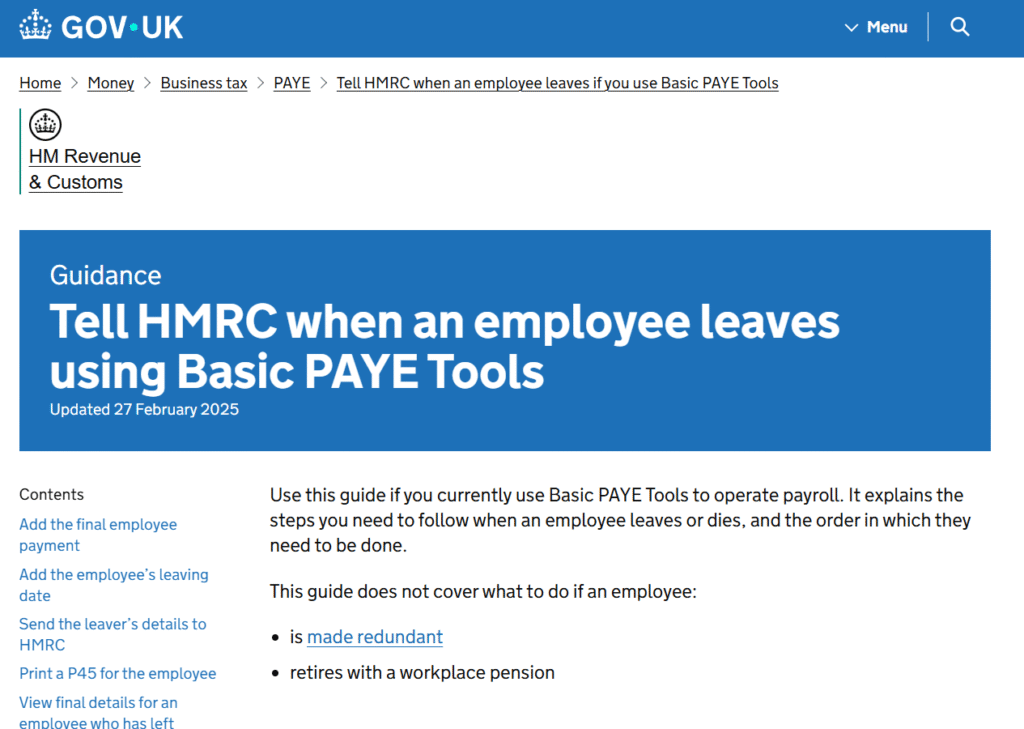
HMRC guidance on P45: https://www.gov.uk/government/publications/basic-paye-tools-what-to-do-when-an-employee-leaves/basic-paye-tools-when-an-employee-leaves
P45 Form Processing Services Cost & Pricing in the UK
Employers who need help processing employee leavers can use professional payroll support for P45 administration, PAYE records and associated RTI reporting. The appropriate scope and cost depend on whether support is required for an individual leaver, a payroll correction or ongoing payroll management.
Service Cost Estimation
Select the service category below to calculate the estimated cost of either accounting & tax services or forms and submissions.
Select Required Services / Forms
Select one or more services/forms to receive an accurate cost estimate. You can adjust your selection at any stage.
How would you like to engage our services?
Please select whether you require a one-off service or ongoing monthly support.
Contract Duration
Your cost estimate
Apply now and get 10% OFF
Submit your request today and receive an exclusive 10% discount on your selected service.
All prices are estimates. To receive a personalised quote, please fill out the form or contact us.
Ready to get started?
Get professional support from experienced UK accountants